
Hi there!
I recently had a United Airlines flight and tracked my bags through the United app!
It was the first time I had used an app to track my bags, so I thought it was pretty cool!
Tracking your baggage through the United app can give you peace of mind that your checked bag has made it onto the plane with you.

👆 You can track your checked bags on the United app. Once you are at your final destination, it will tell you your baggage has made it to the baggage claim!
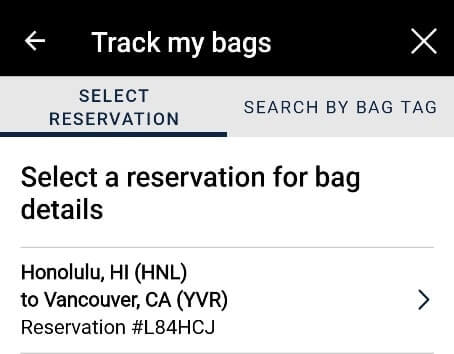
👆 You can track your bags on the United app by selecting your flight.

👆 If your flight doesn’t show up on the app, you can track your checked luggage with your bag tag number and last name. You will receive your bag tag number when you check in your luggage.

If your flight includes a layover, you can check the United app for the status of your checked bags.

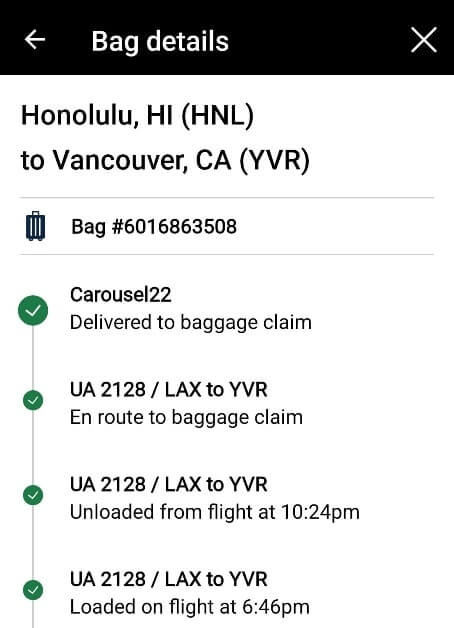
👆 If you don’t have a direct flight, you can check the United app along the way to see the status of your checked bags during your layover. It will show you that your baggage has made it onto the plane with you! My flight was from Honolulu to Vancouver with a layover in Los Angeles. So the United baggage tracker showed me my checked bag status for HNL to LAX and LAX to YVR.
So it can be good to download the United app before you leave for the airport.
Then, the baggage tracker will start from the moment you check in your bags!


Now, what is the reality of what happens on the app if your bags don’t make it to your final destination?!
Will you see on the app when you are sitting on the plane waiting for take-off that your baggage didn’t get loaded onto the plane?!
I don’t know. 🤪
Fortunately, I was not able to find that out since my bags were not lost. 🤪
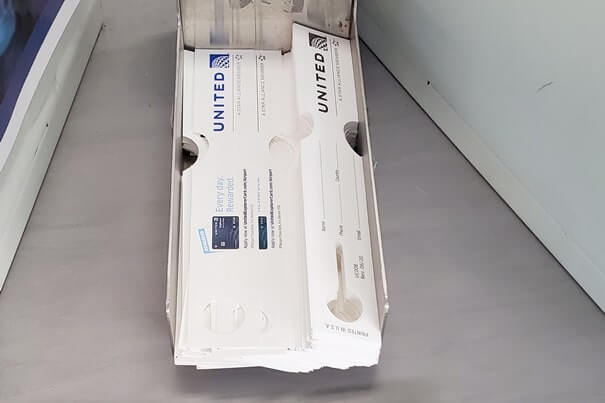
👆 United Airlines baggage tags! If you don’t have luggage tags with your name on them on your bags, then you can get some when you do your baggage drop-off. I recommend putting luggage tags on all your bags, even carry-on, just in case!
More below about using the United app!
What’s plane food like?
How to track your checked United baggage on the app
- Open the United app
- Search the menu for “track my bags”
- Select the flight that you are tracking your bags!
- See if you bags have been loaded onto the plane!
Yes, you can track your baggage on the United app!
It’s very easy to track your checked baggage on the app!
All you need to do is have the United app downloaded!
When you get to the airport, you can check-in using the kiosk.
Or, if you are well-prepared, you can even check in before you arrive to the airport.

👆 I checked in at the airport, and the check-in kiosk suggested to download the United app to track the checked bags throughout the flight.
No matter how you check in, once you’re at the airport, you’ll receive your luggage tags to put on your bags.
On that sticker tag will also be a baggage “receipt” that you keep.
It’s a good idea to take a picture of that.
This way, if your luggage does get lost, it will be a faster process when you speak to customer service, because you can just tell them or have them scan your baggage tracking number, instead of them having to look it up.
Also, keep it in a safe spot!
When traveling internationally, I keep the baggage tracker sticker with my passport.

👆 When you check in your bags, you will receive a sticker with your baggage tracker number on it. Keep this in a safe spot for quicker processing in the case your bags do get lost.

👆 You may get an email after you check your bags with further instruction on how to track your bags through the United app.


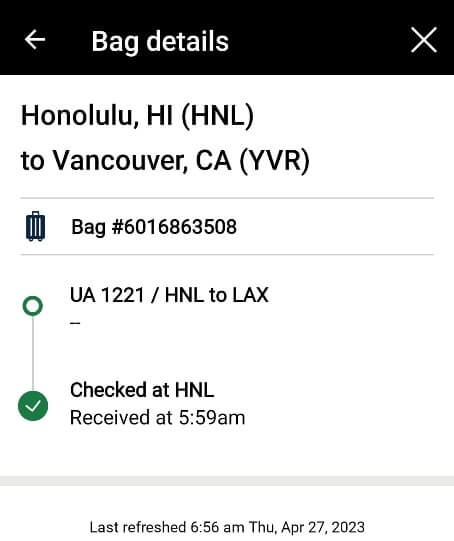
👆 The first indication that the baggage tracker is working is that it shows your bags were checked in at the airport!
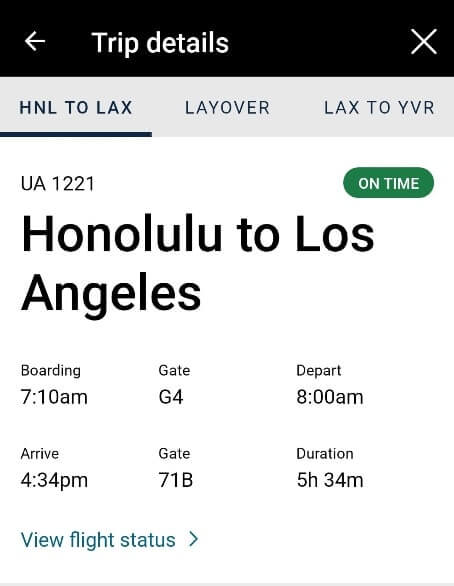
👆 The app will also show you gate details about your flight! To know what gate your flight is at, you can also look at the big departures board once you get past TSA security. It will probably also be on your boarding pass, if you get a physical boarding pass printed out.

👆 You can see that you bag has been moved! You can see that your checked bag is on the plane with you!
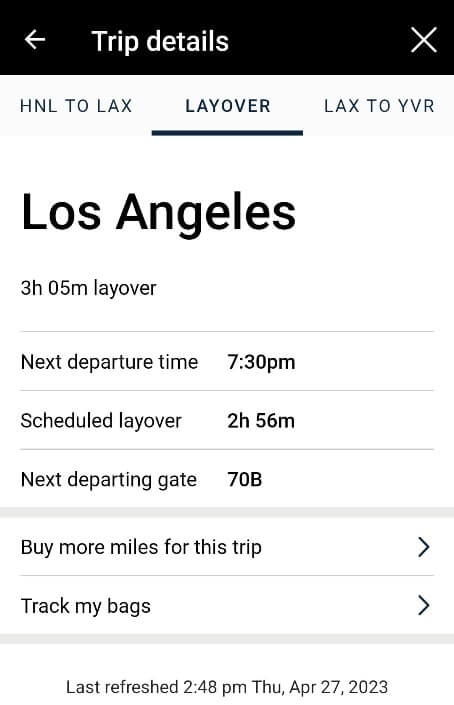

👆 If your flight has a layover, you can also use the app to see layover details!

👆 Upon arrival at your layover airport, you can get continue to track your bag. It’s now off the plane.
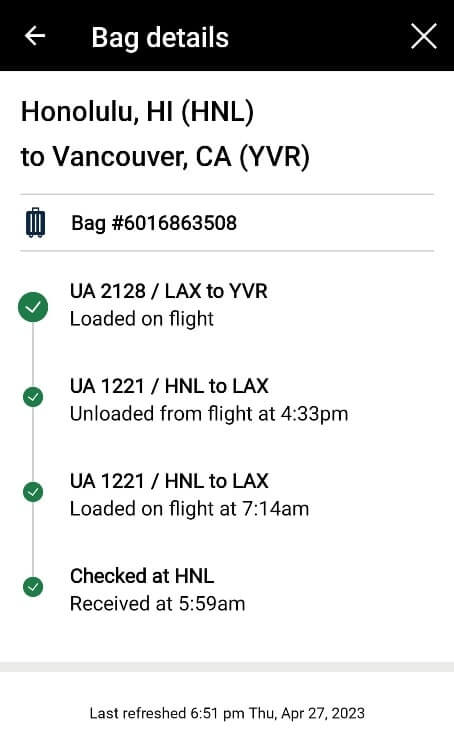
👆 You can see that the bag has once again been moved onto the plane to the final destination!
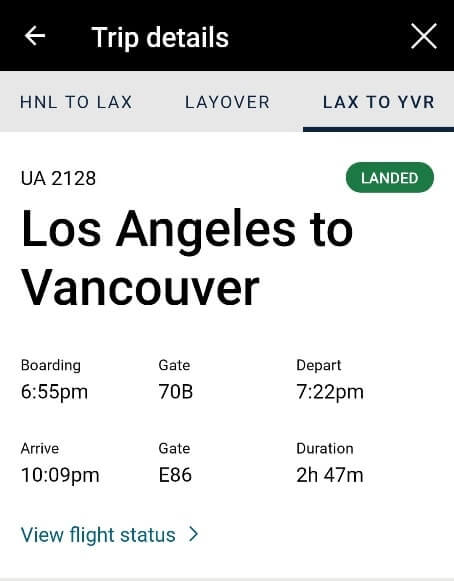

👆 Once you have landed at your final destination, you can open up the app to find that status of the flight has been updated to “landed,” and it will also tell you where to go to claim your bags. In this case, my bags were located at baggage claim #22.

👆 The United app will tell you that you bags will be waiting for you at baggage claim!

👆 Wait for your bags to arrive at baggage claim!
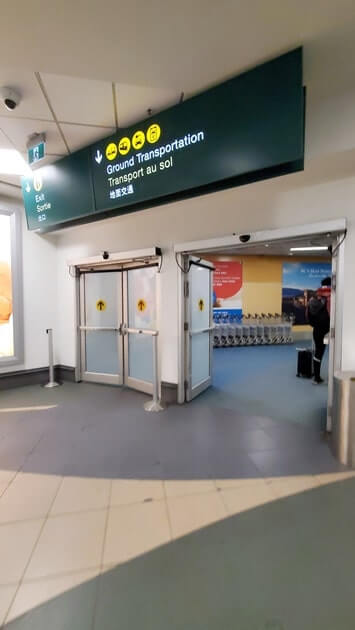
👆 Once you’ve retrieved your bags, off you go to leave the airport!
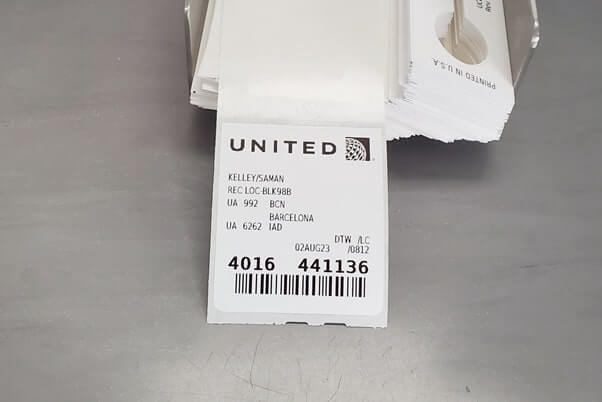


👆 I checked the United app for the baggage tracker for my international flight to Europe too!
HAPPY TRACKING YOUR BAGS THROUGH THE UNITED APP!
There are partner websites included in this post. I may earn a commission.